Objective
Changing the character encoding in SMPP.
Applies To
- SMPP
- Encoding
Procedure
- Log in to your Vonage API account dashboard.
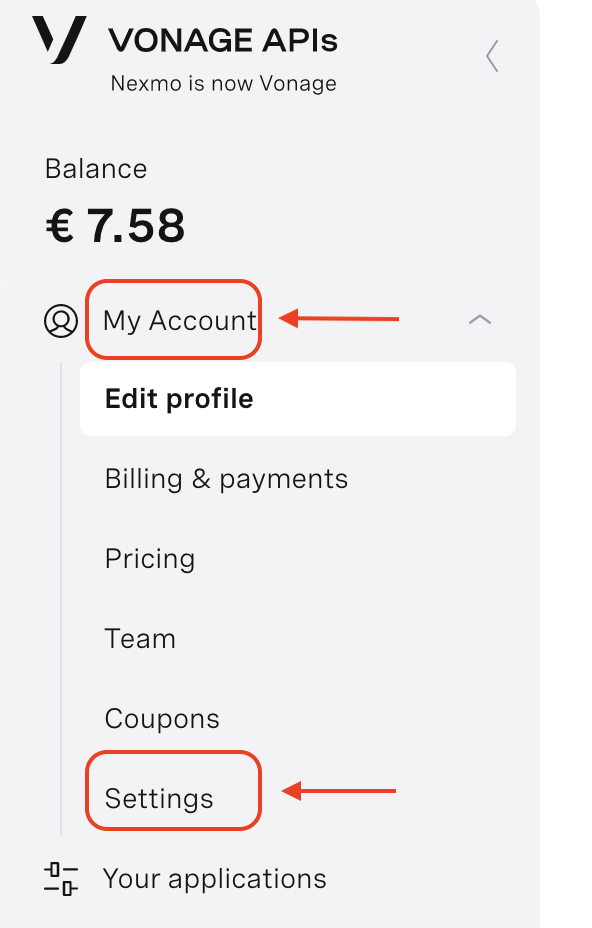
- Expand your account name in the left panel.
- Select Settings.
- On API Keys setting tab, you will see the SMPP Settings section. From here, you can select the default character-set encoding to be used.
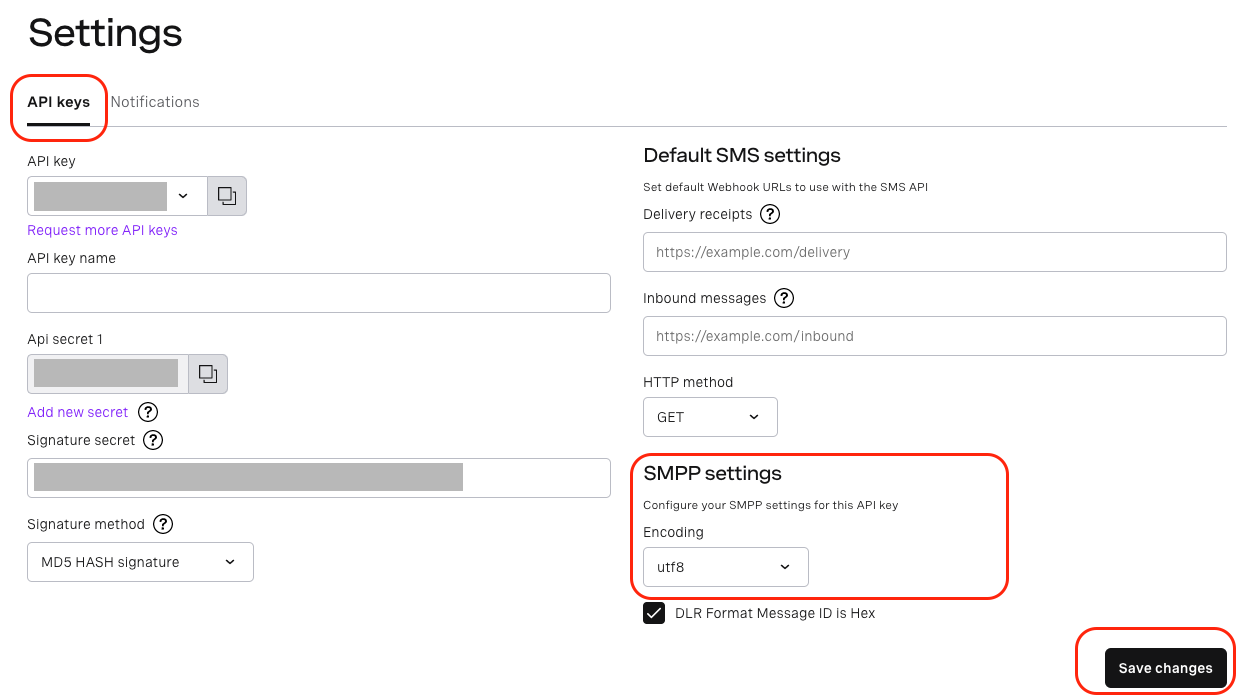
- Once you have selected the character-set to be used as the default for your account, select Save Changes.
Note: This is only applicable for SMPP. Vonage REST API uses WEB standard UTF-8. This setting only takes effect for SMSC default alphabet (DCS=0). Whenever the data_coding is not 0, it will be replaced with the coding schema specified in data_coding.
Articles in this section
- How to Change the Character Encoding for SMPP
- How to Change Message ID Delivery Receipts to Hexadecimal Format
- How to Submit a Message with SMPP
- What is the keep-alive frequency I need to set?
- Should I bind with transceiver or transmitter/receiver?
- Which SMPP version is supported?
- How can I configure Kannel with Vonage SMPP?
- How can I set the network destination in Vonage SMPP server?
- How do I send concatenated messages via SMPP?
- How to Handle DLRs in a Multiple Server Environment